MOT-002
Strayling 광고
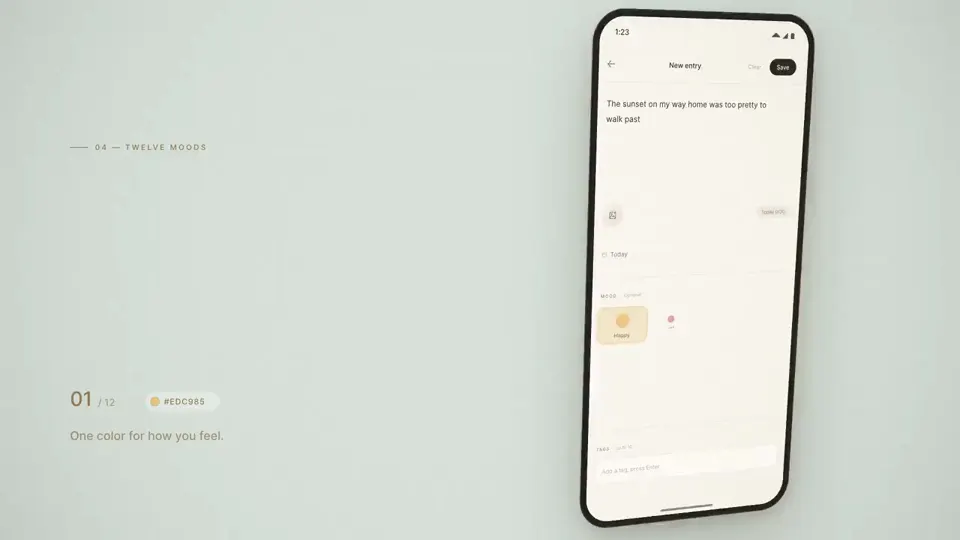
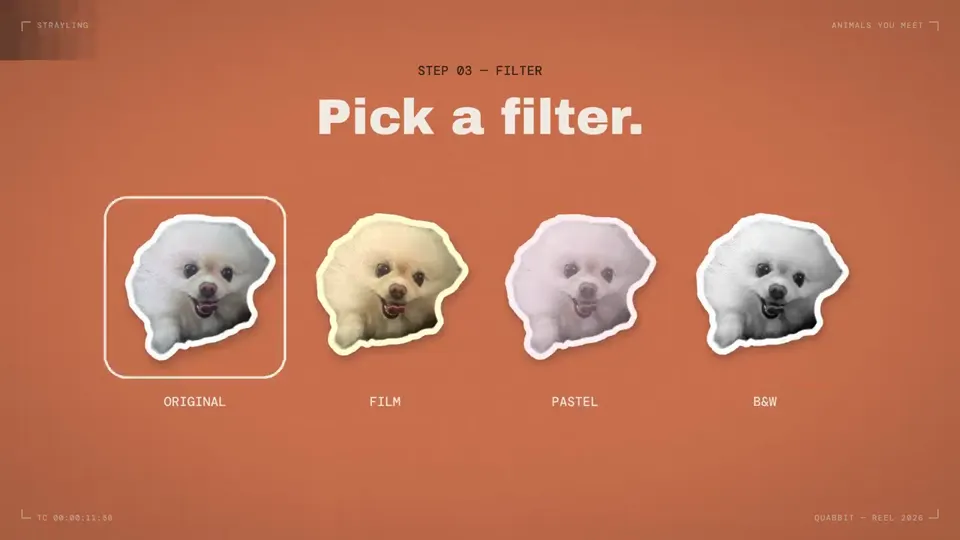
- 스토어 화면 몇 장으로 세로와 가로 광고를 함께
- 앱 이름과 장면 문구만 바꿔 다시 그려요
// 사용: node scripts/ads/render.mjs. 스토어 공개 화면으로 광고 영상을 만들고(소리 없음) 사이트용으로 줄여요.
import { spawn, execSync } from "node:child_process"; import path from "node:path"; import { chromium } from "playwright";
const FPS = 30, T = path.resolve("scripts/ads/template.html"), M = "docs/videos", P = "public/videos";
const b = await chromium.launch({ channel: "chrome", args: ["--allow-file-access-from-files"] });
for (const app of ["strayling", "nook"]) for (const [fmt, w, h] of [["9x16", 1080, 1920], ["16x9", 1920, 1080]]) {
  const p = await b.newPage({ viewport: { width: w, height: h } }); await p.goto(`file://${T}?app=${app}`); await p.evaluate(() => window.READY); const total = await p.evaluate(() => window.TOTAL), n = Math.round(total * FPS);
  const ff = spawn("ffmpeg", ["-y", "-v", "error", "-f", "image2pipe", "-framerate", String(FPS), "-c:v", "mjpeg", "-i", "-", "-an", "-c:v", "libx264", "-crf", "20", "-preset", "medium", "-pix_fmt", "yuv420p", "-movflags", "+faststart", `${M}/${app}-${fmt}.mp4`], { stdio: ["pipe", "inherit", "inherit"] });
  for (let i = 0; i < n; i++) { await p.evaluate((t) => window.seek(t), i / FPS); ff.stdin.write(await p.screenshot({ type: "jpeg", quality: 95 })); }
  ff.stdin.end(); await new Promise((r) => ff.on("close", r)); await p.close(); console.log(app, fmt, total.toFixed(1) + "s");
}
await b.close();
const run = (c) => execSync(`ffmpeg -y -v error ${c}`);
const enc = (i, o, vf, crf, wcrf, extra = "") => { run(`${extra} -i ${i} -an -vf ${vf} -c:v libx264 -crf ${crf} -preset slow -pix_fmt yuv420p -movflags +faststart ${o}.mp4`); run(`${extra} -i ${i} -an -vf ${vf} -c:v libvpx-vp9 -crf ${wcrf} -b:v 0 -row-mt 1 -cpu-used 2 ${o}.webm`); };
for (const app of ["strayling", "nook"]) {
  const L = `${M}/${app}-16x9.mp4`, V = `${M}/${app}-9x16.mp4`;
  enc(L, `${P}/${app}-16x9-960`, "scale=960:-2", 27, 36); enc(L, `${P}/${app}-16x9-480`, "scale=480:-2", 30, 40); enc(V, `${P}/${app}-9x16-540`, "scale=540:-2", 29, 38);
  run(`-ss 5 -i ${L} -frames:v 1 -vf scale=960:-2 -q:v 5 ${P}/${app}-poster.jpg`);
}
<!doctype html><html lang="ko"><meta charset="utf-8"><style>
@font-face{font-family:P;src:url(../../node_modules/.pnpm/pretendard@1.3.9/node_modules/pretendard/dist/web/variable/woff2/PretendardVariable.woff2) format("woff2");font-weight:45 920}
[hidden]{display:none!important}*{box-sizing:border-box}html,body{margin:0;width:100%;height:100%;overflow:hidden;background:#0a0a0f;font-family:P;color:#f2f3f8;word-break:keep-all}
#bg{position:absolute;inset:0}#phone{position:absolute;overflow:hidden;background:#111;box-shadow:0 60px 140px -30px rgb(120 130 255/.5);will-change:transform}
#phone .img{position:absolute;background-repeat:no-repeat}
#cap{position:absolute;font-weight:800;letter-spacing:-.04em;line-height:1.14;text-wrap:balance}
.rip{position:absolute;border-radius:50%;border:var(--b) solid #fff;box-shadow:0 0 0 calc(var(--b)*.6) rgb(0 0 0/.25)}.dot{position:absolute;border-radius:50%;background:rgb(255 255 255/.75);box-shadow:0 2px 12px rgb(0 0 0/.4)}
#end{position:absolute;inset:0;display:grid;place-content:center;justify-items:center;text-align:center;gap:.5em}
#end img{border-radius:22%;box-shadow:0 30px 80px -20px rgb(130 140 255/.6)}#end b{font-weight:800;letter-spacing:-.03em}#end p{margin:0;color:#b6bbcc;font-weight:500;max-width:18em}#end i{font-style:normal;font-weight:700;background:#93a4ff;color:#0b0d1c;border-radius:.6em;padding:.5em 1em;margin-top:.5em}
</style><div id="bg"></div><div id="phone"><div class="img" id="a"></div><div class="img" id="b"></div><div id="taps"></div></div><div id="cap"></div><div id="end" hidden><img id="ic"><b id="nm"></b><p id="ln"></p><i>Google Play에서 받기</i></div>
<script>
const clamp=(v,a=0,b=1)=>Math.min(b,Math.max(a,v)),out=k=>1-(1-k)**3,back=k=>{const c=1.7;return 1+(c+1)*(k-1)**3+c*(k-1)**2};
const APPS={
 strayling:{name:"Strayling",line:"만난 동물을 찍으면 사진 스티커가 되어 동네 지도에 붙어요.",box:[.165,.142,.84,.933],iw:1080,ih:1920,sc:[
  {i:5,cap:"산책길에 만나면 찰칵",tap:[.5,.885],f:[.5,.55]},{i:0,cap:"찍으면, 그 친구만 스티커로",tap:[.43,.4],f:[.45,.28]},{i:1,cap:"우리 동네 동물 지도",tap:[.31,.48],f:[.33,.48]},{i:2,cap:"가까운 친구들을 한눈에",tap:[.34,.8],f:[.4,.75]},{i:3,cap:"모을수록 채워지는 스티커북",tap:[.22,.4],f:[.4,.42]},{i:6,cap:"정확한 위치는 남기지 않아요",tap:[.88,.38],f:[.7,.3]}]},
 nook:{name:"Nook",line:"기분은 색으로, 하루는 사진으로. 친구·연인과 함께 보고 댓글 나누는 공유일기예요.",box:[.225,.25,.775,.965],iw:1080,ih:1800,sc:[
  {i:0,cap:"사진이랑 기분만 남기는 작은 일기장",tap:null,f:[.5,.35]},{i:4,cap:"사진 한 장, 기분 한 줄",tap:[.5,.42],f:[.5,.45]},{i:3,cap:"한 달이 사진으로 채워져요",tap:[.4,.55],f:[.5,.55]},{i:3,cap:"날짜마다 그날의 사진과 기분이 남아요",tap:[.82,.42],f:[.75,.42],z:1.7},{i:5,cap:"기본은 나만 보기",tap:[.72,.72],f:[.6,.45]}]}};
const q=new URLSearchParams(location.search),A=APPS[q.get("app")],W=innerWidth,H=innerHeight,V=H>W,S=V?W/1080:H/1080;
const SC=1.95,END=2.7;window.TOTAL=A.sc.length*SC+END;
const bw=A.box[2]-A.box[0],bh=A.box[3]-A.box[1],ratio=bw*A.iw/(bh*A.ih);
const ph=V?H*.76:H*.92,pw=ph*ratio,px=V?(W-pw)/2:W*.6-pw/2,py=V?H*.215:(H-ph)/2;
Object.assign(phone.style,{left:px+"px",top:py+"px",width:pw+"px",height:ph+"px",borderRadius:pw*.085+"px"});
Object.assign(cap.style,V?{left:60*S+"px",right:60*S+"px",top:90*S+"px",textAlign:"center",fontSize:82*S+"px"}:{left:90*S+"px",width:W*.42+"px",top:"50%",fontSize:96*S+"px"});
const imgUrl=i=>`../../assets/store/${q.get("app")}-${i}.png`;
ic.src=`../../assets/store/${q.get("app")}-icon.png`;ic.width=ic.height=210*S;nm.textContent=A.name;nm.style.fontSize=96*S+"px";ln.textContent=A.line;end.style.fontSize=44*S+"px";
window.READY=Promise.all([...new Set(A.sc.map(s=>s.i))].map(i=>new Promise(r=>{const m=new Image;m.onload=r;m.src=imgUrl(i)})).concat(document.fonts.load("800 40px P")));
function place(el,s,k,dx){const z=(s.z||1.05)+.16*k,dw=pw/bw*z,dh=dw*A.ih/A.iw,fx=s.f[0],fy=s.f[1];
 let ox=-(A.box[0]+bw*fx)*dw+pw*fx-(z-1)*pw*(fx-.5)*.9,oy=-(A.box[1]+bh*fy)*dh+ph*fy-(z-1)*ph*(fy-.5)*.9;
 const minx=-(A.box[2])*dw+pw,maxx=-A.box[0]*dw,miny=-(A.box[3])*dh+ph,maxy=-A.box[1]*dh;ox=clamp(ox,minx,maxx);oy=clamp(oy,miny,maxy);
 Object.assign(el.style,{inset:0,backgroundImage:`url(${imgUrl(s.i)})`,backgroundSize:`${dw}px ${dh}px`,backgroundPosition:`${ox}px ${oy}px`,transform:`translateX(${dx}px)`,left:0,top:0,width:"100%",height:"100%"});return{ox,oy,dw,dh}}
window.seek=t=>{const a1=t*.25;bg.style.background=`radial-gradient(60% 50% at ${28+12*Math.sin(a1)}% ${18+8*Math.cos(a1)}%,rgb(143 118 240/.42),transparent 70%),radial-gradient(60% 50% at ${78+10*Math.cos(a1*.8)}% ${22+8*Math.sin(a1)}%,rgb(70 120 240/.38),transparent 70%),radial-gradient(60% 45% at 30% 92%,rgb(240 128 94/.24),transparent 70%),radial-gradient(60% 45% at 80% 88%,rgb(90 200 180/.24),transparent 70%)`;
 const idx=Math.floor(t/SC),isEnd=idx>=A.sc.length;
 const endK=isEnd?clamp((t-A.sc.length*SC)/.45):0;
 if(isEnd){end.hidden=false;end.style.opacity=endK;end.style.transform=`scale(${.92+.08*out(endK)})`;phone.style.opacity=1-endK;phone.style.transform=`scale(${1-.1*endK})`;cap.style.opacity=1-clamp(endK*2);return}
 end.hidden=true;phone.style.opacity=1;const s=A.sc[idx],l=t-idx*SC,k=l/SC,tr=out(clamp(l/.26));
 place(a,s,k,(1-tr)*pw*1.05);if(idx>0){b.style.display="";place(b,A.sc[idx-1],1,-tr*pw*1.05)}else b.style.display="none";
 phone.style.transform=`scale(${idx===0?.94+.06*out(clamp(l/.3)):1+.03*(1-tr)})`;
 const c=back(clamp((l-.05)/.32));cap.textContent=s.cap;cap.style.opacity=clamp((l-.05)/.14);cap.style.transform=(V?"":"translateY(-50%) ")+`translateY(${(1-c)*40*S}px) scale(${.9+.1*c})`;
 taps.innerHTML="";if(s.tap){const tt=(l-.85)/.75;if(tt>-.25&&tt<1){const x=s.tap[0]*pw,y=s.tap[1]*ph,R=pw*.075;
  const d=document.createElement("div");d.className="dot";const on=clamp((tt+.25)/.2),press=tt>0?1-.3*Math.sin(clamp(tt/.2)*Math.PI):1;const r0=R*.62*press;Object.assign(d.style,{left:x-r0+"px",top:y-r0+"px",width:2*r0+"px",height:2*r0+"px",opacity:on*(1-clamp((tt-.55)/.3))});taps.append(d);
  if(tt>0){for(const lag of[0,.16]){const e=clamp((tt-lag)/.75);if(e<=0)continue;const rr=R*(.6+2.1*out(e)),w=document.createElement("div");w.className="rip";w.style.setProperty("--b",Math.max(2,pw*.008)+"px");Object.assign(w.style,{left:x-rr+"px",top:y-rr+"px",width:2*rr+"px",height:2*rr+"px",opacity:(1-e)*.95});taps.append(w)}}}}
};
</script></html>
사용법
- 저장소에서 node scripts/ads/render.mjs를 돌려요.
- 장면과 문구는 scripts/ads/template.html의 APPS에서 바꿔요.
과정
- 스토어에 공개한 앱 화면을 모았어요.
- HTML 템플릿 하나에 장면과 문구, 손가락 탭을 그렸어요.
- Playwright로 30fps 프레임을 찍어 ffmpeg로 9:16과 16:9 영상을 만들었어요.