Connecting MCP to Claude Code
With MCP connected, Claude Code can use outside tools like issue trackers, monitoring, databases and design tools directly. Instead of working from pasted material, it goes to the tool itself. The commands below are the ones I actually used early in this project.
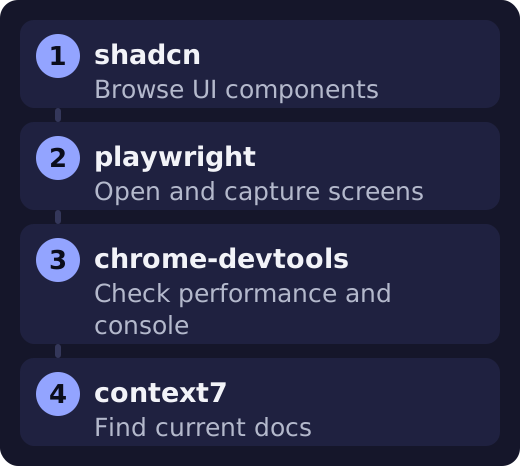
Connect commands
claude mcp add shadcn -- npx -y shadcn@latest mcp
claude mcp add playwright -- npx -y @playwright/mcp@latest
claude mcp add chrome-devtools -- npx -y chrome-devtools-mcp@latest
claude mcp add context7 -- npx -y @upstash/context7-mcp@latest
claude mcp list
-- separates Claude's options from the server's run command. Servers that run locally use this format.
Remote servers
claude mcp add --transport http <name> <url>
claude mcp add --transport http <name> <url> --header "Authorization: Bearer <token>"
SSE is deprecated. You can read that as: use HTTP for new connections.
Management commands
| Command | What it does |
|---|---|
| claude mcp list | List connections |
| claude mcp get <name> | Server details |
| claude mcp remove <name> | Remove a server |
| /mcp | Check status inside a session |
Removing a remote server only deletes the stored OAuth token. It does not revoke access. To revoke it, run claude mcp logout <name> first.
Results in this project
| Name | Result | Used for |
|---|---|---|
| shadcn | Connected | Browsing UI components |
| playwright | Connected | Opening and capturing screens |
| chrome-devtools | Connected | Checking performance and console |
| context7 | Connected | Finding current docs |
| 21st | Not connected | It needed an API key |
What the logs show
- Even when
claude mcp listshowed a server as connected, its tools did not appear right away in a session that was already open. - The default scope of
claude mcp addwas the current project. Other projects were not affected. - Before connecting, I checked whether it was free and whether it needed a key.
Check before connecting
The official docs say to check first that a server is trustworthy. Servers that pull in outside content carry a prompt injection risk. Pass API keys with --env, and do not commit them to the repository.
You can also connect Blender (I did not try this in this project)
This is the command given in the repository's instructions. You need uv and the Blender add-on installed first.
claude mcp add blender uvx mcp-for-blenderThe instructions say the AI can run arbitrary Python inside Blender and the add-on server has no authentication. It is safer to turn it on only when you use it and to save your work file first.